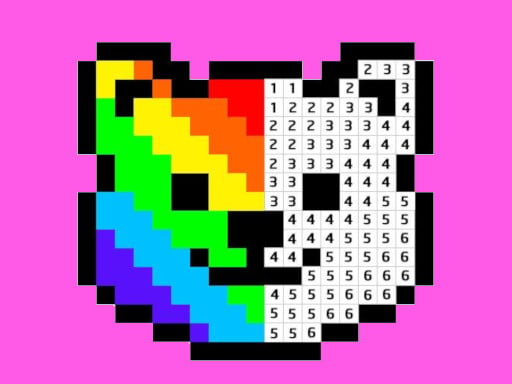
Choose a picture and a grid of tiny numbered squares appears. Each number matches a color in the palette at the bottom. Select a color and fill every square with that number. Little by little, an animal, a fruit or a fun object appears.
About Pixel Art - Color by Numbers
Matching numbers to colors practices number recognition and patience, and the finished artwork gives a real sense of achievement.
Pixel Art - Color by Numbers runs right in your browser on Chromebooks, laptops and tablets — nothing to install. Find more like it in our arcade games collection of free unblocked games.
How to play Pixel Art - Color by Numbers
- Select a color from the palette.
- Click the squares with the matching number.
- Hold and drag to fill several pixels at once.
- Press ▶ Play, then use ⛶ Fullscreen for a bigger view.
Controls
| Main controls | Select a color from the palette |
|---|
Why play Pixel Art - Color by Numbers? Benefits for kids
Quick decisions
Choosing a path or action in a split second exercises decision-making under pressure.
Hand–eye coordination
Matching your clicks or key presses to moving objects strengthens visual-motor skills.
Resilience
Losing and restarting quickly teaches kids to shrug off mistakes and keep improving.
Goal setting
Beating your own high score is a simple, motivating personal goal.
Tips & tricks
- Play a few calm rounds first to learn exactly how the controls feel.
- Watch what is coming next instead of only your character.
- Short breaks between attempts help you stay sharp.
🍎 Using Pixel Art - Color by Numbers in the classroom
Pixel Art - Color by Numbers works well as a brain break. Project it on the board, let a student play one round and ask the class to suggest strategies.
📘 Color by numbers online: pixel art for kids
Pixel Art Color by Numbers is a calm coloring game where every square has a number that matches a color. Fill them all and a picture appears. It is one of the most relaxing free games online and works for every age.
It is also a gentle math activity: young children practice number recognition, and older ones can count how many squares each color needs. Holding and dragging fills several pixels at once, which speeds up big areas.
Teachers often use coloring by numbers as a quiet activity after recess or as an early-finisher task.
Pro tips for Pixel Art - Color by Numbers
- Start with the color that covers the largest area.
- Zoom in for tiny details.
- Hold and drag to fill many squares quickly.
- Check for missed squares before choosing a new color.
If you like Pixel Art - Color by Numbers, try these
🟩 Ancient Aztec Coloring 🟩 Paper Fold 🐼 Animal Memory Match 🔢 Number Merge 2048
Pixel Art - Color by Numbers – frequently asked questions
Is Pixel Art - Color by Numbers free to play?
Yes. Pixel Art - Color by Numbers is completely free on ClassroomGames — no download, no account. Fill numbered pixels to reveal a picture.
Can I play Pixel Art - Color by Numbers at school?
Pixel Art - Color by Numbers is a lightweight HTML5 game that runs on most school Chromebooks and laptops. Please play during breaks or when your teacher allows it.
Who made Pixel Art - Color by Numbers?
This game is created by an independent developer and distributed through the GameMonetize HTML5 network. ClassroomGames embeds it with permission of the distribution network.
Game © its developer, distributed by the GameMonetize HTML5 network. The game may show short ads from the network.