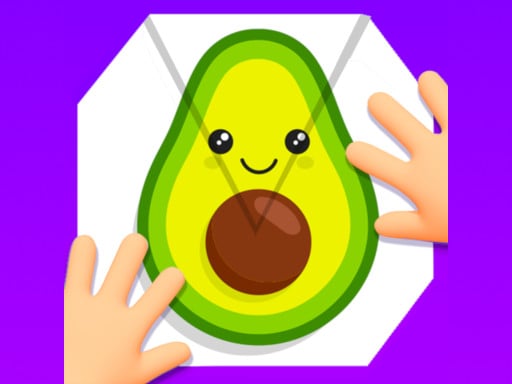
Paper Fold shows a sheet of paper split into parts. Tap the parts to fold them over, in the right order, so the colors line up and a picture appears. Simple to play, surprisingly clever to solve.
About Paper Fold
Imagining how folded shapes overlap is excellent spatial reasoning practice.
Paper Fold runs right in your browser on Chromebooks, laptops and tablets — nothing to install. Find more like it in our puzzle games collection of free unblocked games.
How to play Paper Fold
- Tap a section of paper to fold it.
- Fold in the right order.
- Complete the picture to finish.
- Press ▶ Play, then use ⛶ Fullscreen for a bigger view.
Controls
| Main controls | Tap a section of paper to fold it |
|---|
Why play Paper Fold? Benefits for kids
Planning ahead
Kids learn to think several moves ahead before acting.
Spatial skills
Moving and fitting pieces develops spatial awareness.
Concentration
Quiet puzzles help focus the mind and settle a busy classroom.
Patience
Hard levels teach children to keep trying calmly instead of giving up.
Tips & tricks
- Clear the easy parts first to open up space.
- Say your plan out loud — it helps you notice mistakes.
- If you get stuck, restart the level with a fresh plan.
🍎 Using Paper Fold in the classroom
Paper Fold works well as a brain break. Project it on the board, let a student play one round and ask the class to suggest strategies.
Paper Fold – frequently asked questions
Is Paper Fold free to play?
Yes. Paper Fold is completely free on ClassroomGames — no download, no account. Fold paper in the right order to create a picture.
Can I play Paper Fold at school?
Paper Fold is a lightweight HTML5 game that runs on most school Chromebooks and laptops. Please play during breaks or when your teacher allows it.
Who made Paper Fold?
This game is created by an independent developer and distributed through the GameMonetize HTML5 network. ClassroomGames embeds it with permission of the distribution network.
Game © its developer, distributed by the GameMonetize HTML5 network. The game may show short ads from the network.