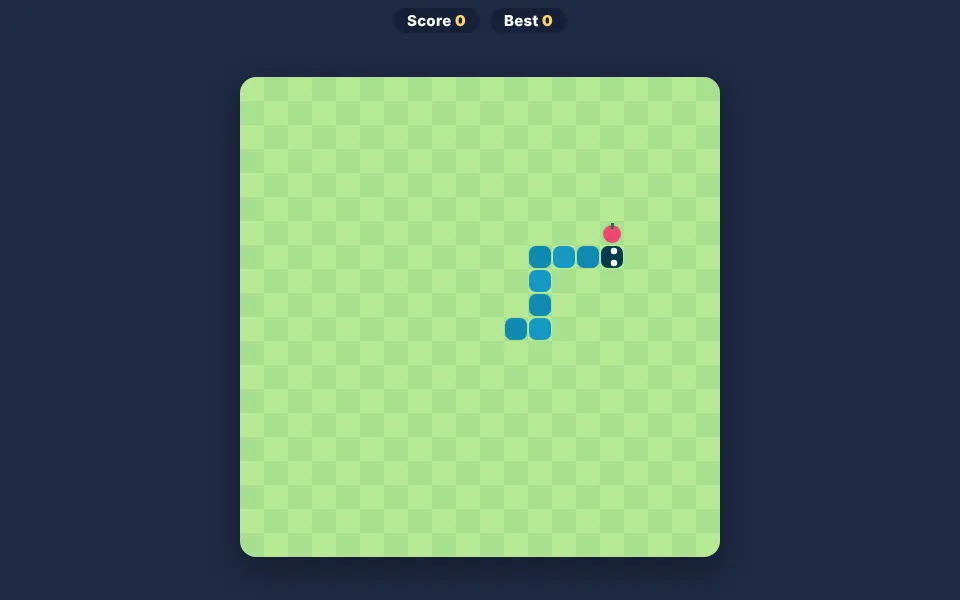
Snack Snake is our kid-friendly take on the classic snake game. Steer a cheerful blue snake around a grassy board, gobble up colorful fruit snacks and watch your tail grow longer with every bite. It is one of the most popular unblocked games at school because the rules take five seconds to learn — yet every round is different.
About Snack Snake
The snake moves on its own, so your job is to choose when to turn. Each snack adds one segment to the tail and gives you 10 points. As the snake grows, the free space on the board shrinks and the game slowly speeds up, turning a relaxed stroll into a real challenge.
There are no enemies, no violence and no timers — just you, your snake and smart planning. That makes Snack Snake a great free game online for younger players who are still learning to use arrow keys, as well as older kids chasing a high score.
How to play Snack Snake
- Press Play to start. The snake begins moving to the right.
- Use the arrow keys or W A S D to turn. On a phone or tablet, swipe or use the on-screen arrows.
- Guide the snake’s head onto a fruit snack to eat it and grow.
- Avoid the edges of the board and your own tail — touching either ends the game.
- Try to beat your personal best, saved automatically on your device.
Controls
| Arrow keys / WASD | Turn the snake |
|---|---|
| Swipe | Turn on touch screens |
| On-screen pad | Turn on tablets |
Why play Snack Snake? Benefits for kids
Planning ahead
A long snake can trap itself. Kids learn to think two or three moves ahead and leave themselves an escape route.
Spatial awareness
Children track the head, the tail and the snack at the same time — great practice for reading grids and maps.
Focus and patience
Rushing makes mistakes. Snake rewards calm, steady attention over a few minutes.
Keyboard confidence
Perfect first practice with arrow keys for children who are new to computers or Chromebooks.
Growth mindset
Every game over shows a score to beat, encouraging kids to try again and improve step by step.
Tips & tricks
- Follow the edges of the board in loops when your snake gets long.
- Don’t chase the snack in a straight line if it means crossing your own body.
- Turn early — the snake moves one square at a time and speeds up as you eat.
🍎 Using Snack Snake in the classroom
Use Snack Snake as a two-minute reward after a focused task, or project it and let the class call out directions ("left!", "up!") to practice positional vocabulary. Younger learners can count snacks aloud in tens to link the score to skip-counting.
📘 Snake game unblocked: how to get a high score
Snack Snake is our kid-friendly version of the classic snake game: eat fruit snacks, grow longer and avoid the walls and your own tail. It works with arrow keys, WASD, swipes or on-screen buttons.
As the snake grows, the challenge becomes space management. Moving in big loops along the edges leaves the center free and prevents you from trapping yourself.
It is a great first keyboard game for younger children and a classic high-score challenge for older ones.
Pro tips for Snack Snake
- Turn early — the snake speeds up as it eats.
- Use the edges of the board for safe loops.
- Never cut through your own body to reach a snack.
- Stay calm: rushing causes most mistakes.
If you like Snack Snake, try these
Snack Snake – frequently asked questions
Is Snack Snake free to play?
Yes. Snack Snake is completely free, with no sign-up, no ads inside the game and no download.
Can I play Snack Snake at school?
Yes — it is a lightweight HTML5 unblocked game that runs in the browser on school Chromebooks, laptops and tablets. Please play during breaks or when your teacher says it’s game time.
Why does the snake get faster?
Each snack slightly increases the speed, so the game stays exciting as you improve.