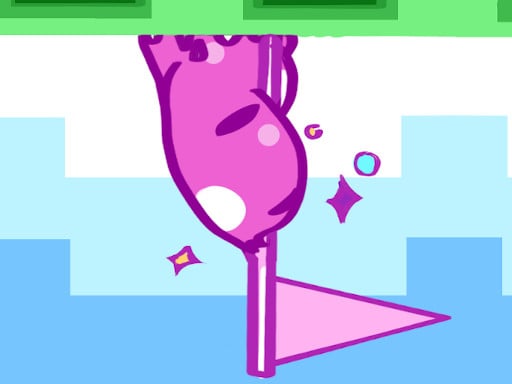
In Mini Switcher you cannot jump — instead, you turn gravity upside down. Your small blob walks forward on its own, and one press sends it flying to the ceiling, another brings it back to the floor. Thirty pixel-art levels add moving foes and spikes, and a speedrun mode challenges experts to finish as fast as possible.
About Mini Switcher
Because there is only one action, success depends on timing and observation. It's a great way to practice patience and precise reactions.
Mini Switcher runs right in your browser on Chromebooks, laptops and tablets — nothing to install. Find more like it in our arcade games collection of free unblocked games.
How to play Mini Switcher
- Press X, Space or click (tap on mobile) to switch gravity.
- Time your switch to avoid spikes and enemies.
- Reach the goal to unlock the next level.
- Press ▶ Play, then use ⛶ Fullscreen for a bigger view.
Controls
| Main controls | Press X, Space or click (tap on mobile) to switch gravity |
|---|
Why play Mini Switcher? Benefits for kids
Focus
Short, intense rounds reward full attention for a couple of minutes at a time.
Goal setting
Beating your own high score is a simple, motivating personal goal.
Resilience
Losing and restarting quickly teaches kids to shrug off mistakes and keep improving.
Timing
Many moves only work at exactly the right moment, building a sense of rhythm and timing.
Tips & tricks
- Use fullscreen mode to see more of the action.
- Try to beat your own score instead of rushing — accuracy wins.
- Play a few calm rounds first to learn exactly how the controls feel.
🍎 Using Mini Switcher in the classroom
Mini Switcher works well as a brain break. Project it on the board, let a student play one round and ask the class to suggest strategies.
Mini Switcher – frequently asked questions
Is Mini Switcher free to play?
Yes. Mini Switcher is completely free on ClassroomGames — no download, no account. Flip gravity to guide a tiny blob through 30 levels.
Can I play Mini Switcher at school?
Mini Switcher is a lightweight HTML5 game that runs on most school Chromebooks and laptops. Please play during breaks or when your teacher allows it.
Who made Mini Switcher?
This game is created by an independent developer and distributed through the GameMonetize HTML5 network. ClassroomGames embeds it with permission of the distribution network.
Game © its developer, distributed by the GameMonetize HTML5 network. The game may show short ads from the network.