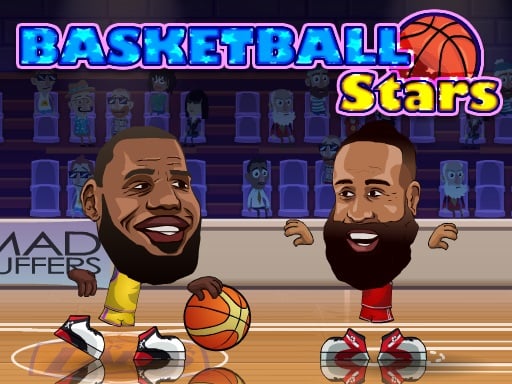
Choose your team and enter a fast basketball tournament. Run, jump, dunk and shoot three-pointers, block your opponent's shots and steal the ball to turn the game around. Play against the computer or challenge a friend on the same keyboard.
About Basketball AllStars
Quick matches teach timing for jumps and shots and are perfect for friendly classroom tournaments.
Basketball AllStars runs right in your browser on Chromebooks, laptops and tablets — nothing to install. Find more like it in our sports games collection of free unblocked games.
How to play Basketball AllStars
- Use the arrows to move and jump.
- Down arrow to block, X to steal or shoot.
- Press Z for a super shot.
- Press ▶ Play, then use ⛶ Fullscreen for a bigger view.
Controls
| Main controls | Use the arrows to move and jump |
|---|
Why play Basketball AllStars? Benefits for kids
Interest in real sports
Virtual games often spark curiosity about rules and real-life sports.
Timing and aim
Shooting, kicking or hitting at the right moment trains timing and accuracy.
Sportsmanship
Sports games are a great way to talk about winning and losing gracefully.
Counting and scores
Keeping track of points is natural practice with numbers.
Tips & tricks
- Watch how the ball moves before you try to hit it.
- Practice a few rounds before challenging a friend.
- Learn the computer’s patterns and use them to your advantage.
🍎 Using Basketball AllStars in the classroom
Basketball AllStars works well as a brain break. Project it on the board, let a student play one round and ask the class to suggest strategies.
📘 Basketball Stars unblocked: tips to win every match
Basketball All Stars brings fast two-player basketball to the browser, and "basketball stars unblocked" is one of the most typed searches by students. Matches are short, the controls are simple and the dunks look great, which makes it perfect for a quick head-to-head with a classmate.
Winning is about more than shooting. Good players block at the right moment, steal the ball when the opponent dribbles too close and save their super shot for when the defender is out of position. Three-pointers are worth the risk only when you are well balanced and not under pressure.
Against the computer, learn its habits: it often rushes toward the basket, so standing in its path and blocking is a reliable way to get the ball back.
Pro tips for Basketball AllStars
- Jump and shoot at the top of your jump for the best accuracy.
- Block (down arrow) as soon as the opponent starts a shot.
- Use the super shot (Z) only when the bar is full and you are open.
- In 2-player mode, agree on a fixed number of points before you start.
If you like Basketball AllStars, try these
🎾 Basket Random 🏈 Hoop Stars 🎾 Epic Basketball 🏈 Basketball Strike
Basketball AllStars – frequently asked questions
Is Basketball AllStars free to play?
Yes. Basketball AllStars is completely free on ClassroomGames — no download, no account. Two-player basketball with dunks and super shots.
Can I play Basketball AllStars at school?
Basketball AllStars is a lightweight HTML5 game that runs on most school Chromebooks and laptops. Please play during breaks or when your teacher allows it.
Who made Basketball AllStars?
This game is created by an independent developer and distributed through the GameMonetize HTML5 network. ClassroomGames embeds it with permission of the distribution network.
Game © its developer, distributed by the GameMonetize HTML5 network. The game may show short ads from the network.